The shared grocery list that keeps couples in sync
The best shared grocery list for a couple updates on both phones instantly, sorts itself by store aisle, and fills itself from the recipes you are actually cooking this week. A texted list or a shared note does none of that. Here is what to look for, and how Clemi handles it.
Last updated July 11, 2026
Why texted lists and shared notes fail
A list sent by text is frozen the moment it is sent. You remember eggs at 5pm; your partner walked past the eggs at 4:50. Shared notes apps are barely better: no aisle order, no quantities, and every item typed by hand. The result is the classic double-buy of milk and the missing one ingredient tonight's dinner depended on.
What real-time actually means
In Clemi, the list is one live object both of you are looking at. Check off milk in the dairy aisle and it leaves your partner's screen instantly. Add lemons from the couch and they appear on the phone that is already in the store, before it passes the produce section. Nobody refreshes, nobody texts did you get the milk.
A list that starts from your recipes
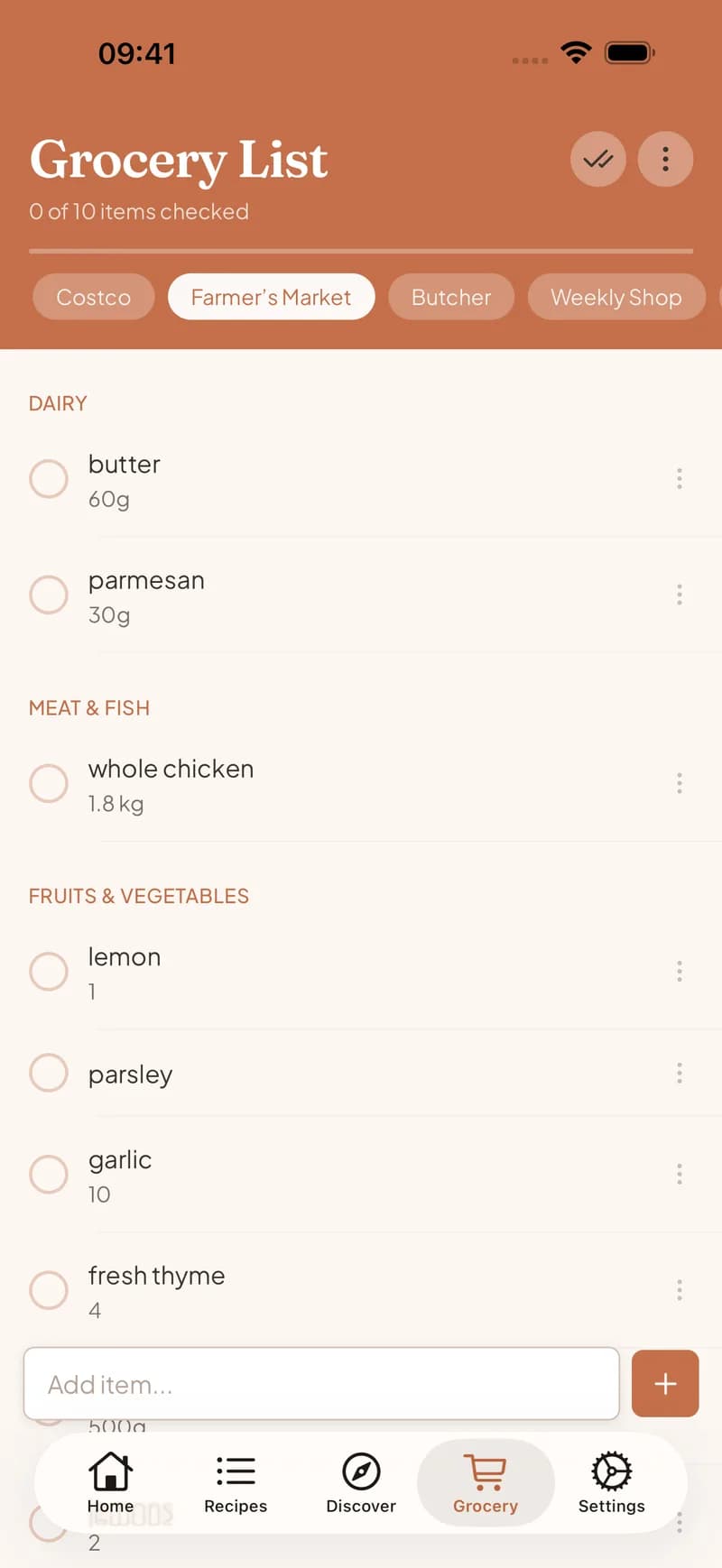
Generic list apps share fine, but every item is typed by hand because the app has no idea what you are cooking. Clemi's list is fed by your shared recipe library and meal plan: pick the week's dinners and the ingredients arrive merged, scaled to your servings, and sorted by aisle. The list stops being a chore you maintain and becomes a byproduct of deciding what to eat.
One list for the whole shop, or one per store
Real shopping is not only food. Clemi's list takes paper towels and dish soap alongside the parmesan, so there is no second list on paper. And if you split shopping between a supermarket and a weekend market, you can keep separate lists and route each aisle section to the right one.
Set up in under a minute
Create a Home in Clemi, invite your partner with a code, and you share one recipe library, one meal plan, and one live grocery list. It works the same whether you both have iPhones, both Android, or one of each.
Frequently asked questions
Do we both need the app?
Yes, each of you installs Clemi and joins the same Home with an invite. Joining a household is free, and the shared list, plan, and library come with it.
How fast do check-offs show up on the other phone?
Instantly. The list syncs in real time, so a check-off or a new item appears on the other phone right away, without a refresh.
One of us has an iPhone and the other an Android. Does it work?
Yes. Clemi runs on both, and the household sync works the same across them.
Can we keep more than one list?
Yes. Keep a weekly supermarket list, a market list, and a bulk-store list, and Clemi can route each recipe's aisle sections to the right one.
Keep reading
Retire the 'did you get milk?' text
One live list for both of you. Free on iOS and Android.
Get Clemi free